Not long ago, creating high-quality images required paid software or serious design skills. In 2026, that’s no longer the case. A growing number of AI tools now offer genuinely useful free plans, making it possible to generate professional-looking visuals without spending anything—if you know where to look.
That said, “free” doesn’t always mean unlimited. Most tools come with daily limits, credits, or slower generation speeds. Still, many of them are powerful enough for real-world use.
Here’s a practical, no-hype look at the best free AI tools for image creation in 2026.
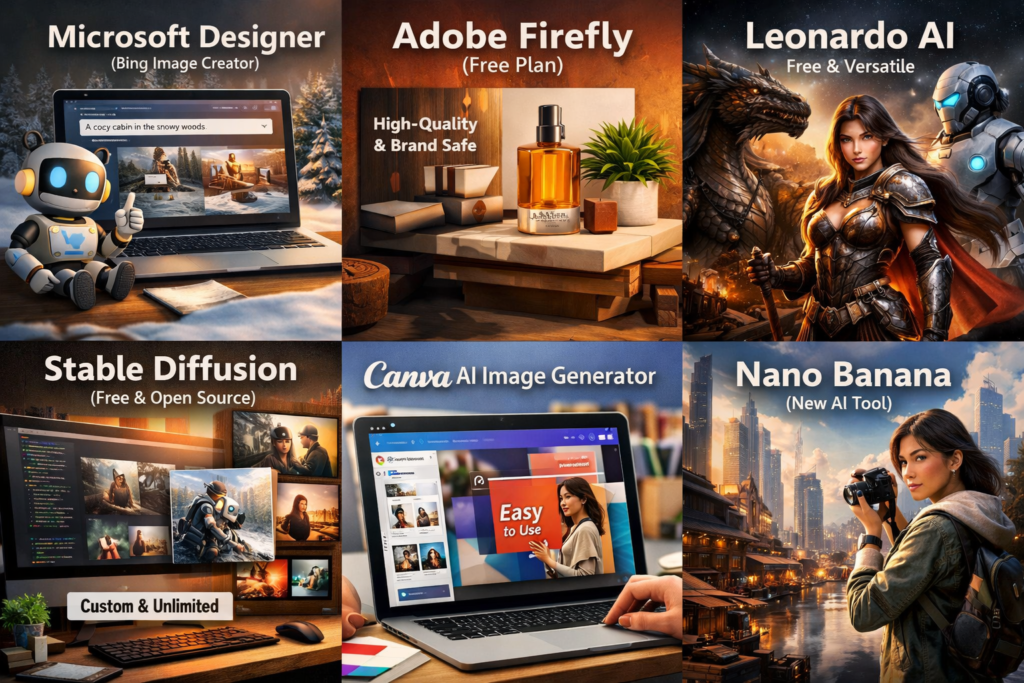
Microsoft Designer (Bing Image Creator)
If you want something completely free and easy to use, this is one of the best starting points.
Powered by advanced DALL·E models, Microsoft Designer allows you to generate images just by typing what you want. The interface is simple, and the results are surprisingly accurate.
Why it stands out:
- Free access with a Microsoft account
- Strong prompt understanding
- Good for social media and quick visuals
It’s widely considered one of the most accessible free AI image tools available today.
Adobe Firefly (Free Tier)
Adobe Firefly offers a limited but high-quality free plan. You get a set number of credits each month, which can be used to generate images.
The biggest advantage here is commercial safety—Firefly is trained on licensed content, making it safer for professional use.
Best for:
- Clean, stock-style visuals
- Business and marketing content
- Designers already using Adobe tools
Leonardo AI
Leonardo AI is one of the most generous free tools in terms of daily usage. It provides a daily token system that lets you generate a significant number of images.
Why people use it:
- Daily free credits (often 100+ images depending on usage)
- Strong customization options
- Great for game assets and character design
It strikes a nice balance between ease of use and creative control.
4. Stable Diffusion (Local or Web)
If you want true freedom, Stable Diffusion is still unmatched.
You can run it locally on your computer (completely free after setup), or use web-based versions with free limits.
What makes it different:
- No restrictions when run locally
- Full control over style, models, and output
- Huge community and plugins
The trade-off is complexity—it’s not beginner-friendly.
Canva AI (Free Plan)
Canva has quietly become one of the easiest ways to generate AI images.
Its AI image generator is built directly into the design platform, so you can create and edit visuals in one place.
Best for:
- Social media posts
- Presentations and marketing graphics
- Beginners who want simplicity
Recent updates are pushing Canva toward fully prompt-driven design workflows.
Ideogram
Ideogram is gaining popularity because it handles text inside images better than most AI tools.
If you’ve ever tried to generate posters or thumbnails with readable text, you’ll know how rare that is.
Why it’s useful:
- Accurate text rendering
- Free daily generations
- Clean, modern output styles
It’s often ranked among the best free tools for quality and usability.
Nano Banana / Gemini Image Tools
Newer AI tools like Nano Banana (from Google’s ecosystem) are pushing free capabilities even further.
They offer:
- High-quality image generation
- Better consistency across characters
- More control over lighting and composition
And importantly, they are increasingly available to free users.
What “Free” Really Means in 2026
Here’s the honest reality: most AI image tools are not fully unlimited.
Free access usually comes in one of these forms:
- Daily credits or tokens (e.g., Leonardo AI)
- Monthly limits (e.g., Firefly)
- Slower generation after limits
- Lower resolution or watermarks
In fact, many tools advertise “free” but restrict usability through hidden limits or caps.
Final Thoughts
Free AI image tools in 2026 are no longer just demos—they’re genuinely useful.
If you want a simple recommendation:
- Go with Microsoft Designer for ease
- Use Leonardo AI for volume and flexibility
- Try Stable Diffusion if you want full control
- Use Canva AI for quick, polished designs
The smartest approach, though, is not to rely on just one tool. Many creators now rotate between multiple free platforms to get around limits and take advantage of each tool’s strengths.
Because at this point, the limitation isn’t the technology—it’s how creatively you use it.


2 responses to “Best Free AI Tools for Image Creation 2026”
Very helpful content. Any suggestions for video generation tools which is free to use?
Thnx for your feedback. You can find details about free video generation tools in my upcoming posts. Stay tuned!!